DB Client
The DB Client is a multi-engine database GUI built into the same app as the Environment Manager — connect to PostgreSQL, MySQL, MongoDB, or Redis and work with the data without switching tools.
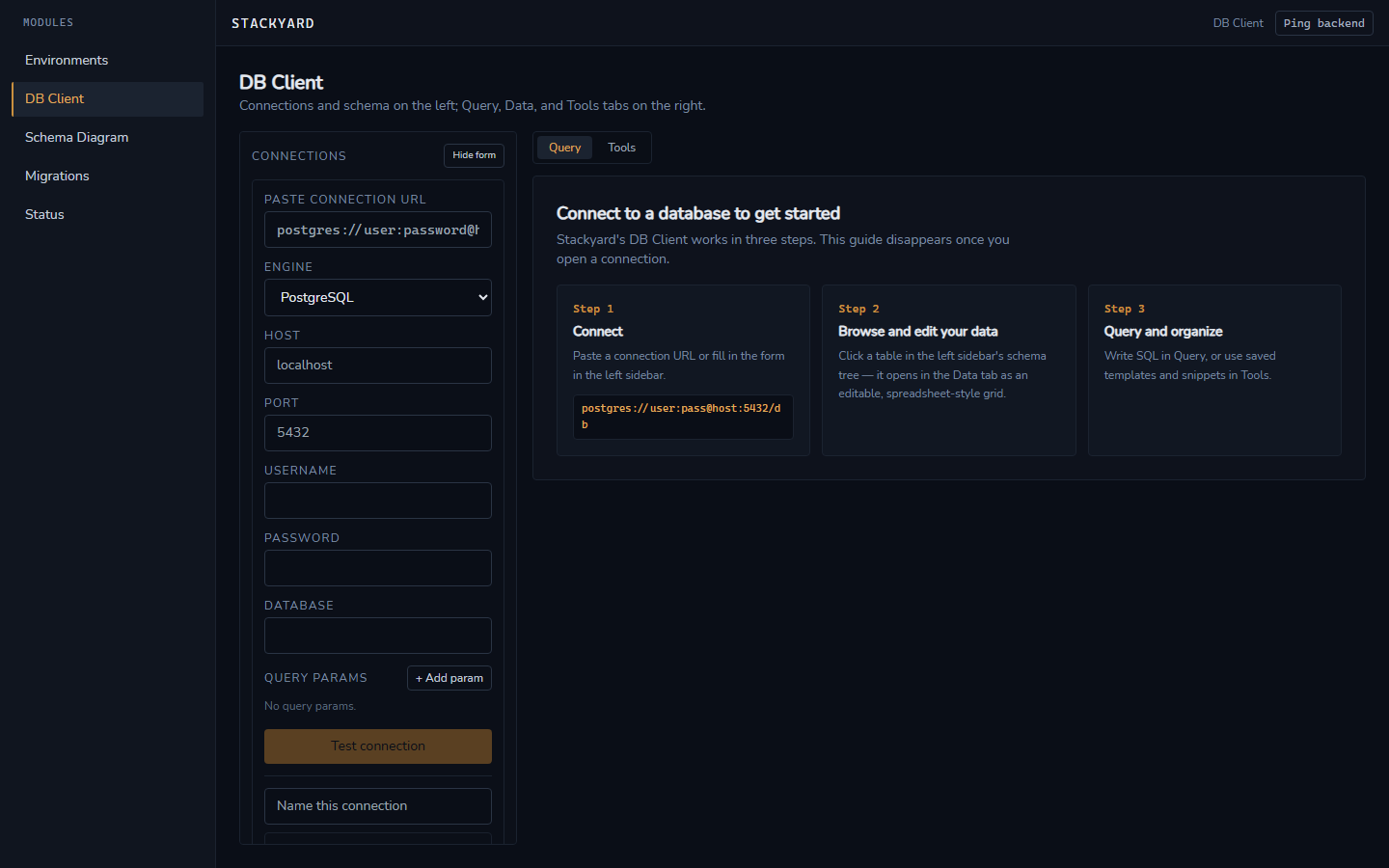
The 3-panel layout keeps connections and schema on the left, and Query/Data/Tools tabs on the right, so the interface is self-explanatory — an onboarding guide walks through the three steps (connect, browse/edit, query/organize) the first time there's no open connection.
Connect by URL
Paste a connection string and every field of the connection form — host, port, user, password, database, query params — is filled in automatically. Malformed strings produce an inline error naming the offending part. A one-click Test connection validates reachability before saving.
Multi-tab sessions
Multiple connections and query tabs stay open concurrently and independently — closing one tab never touches another tab's open transactions or unsent edits.
Query editor
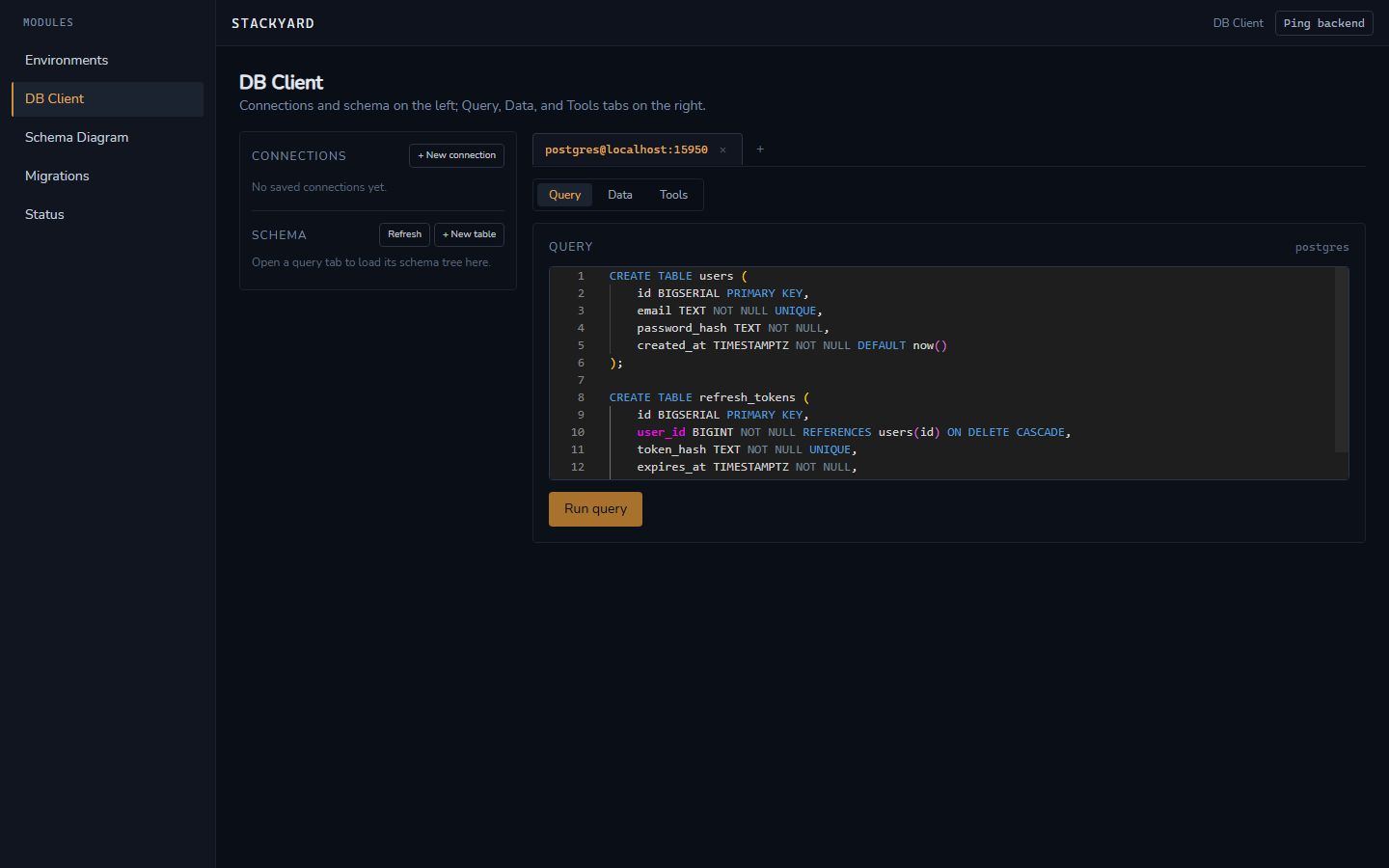
A Monaco-based editor with syntax highlighting matched to the active engine (SQL dialect, Mongo shell-style, or Redis commands), autocomplete sourced from the live schema, multi-statement execution with per-statement success/failure reporting, and cancellable queries.
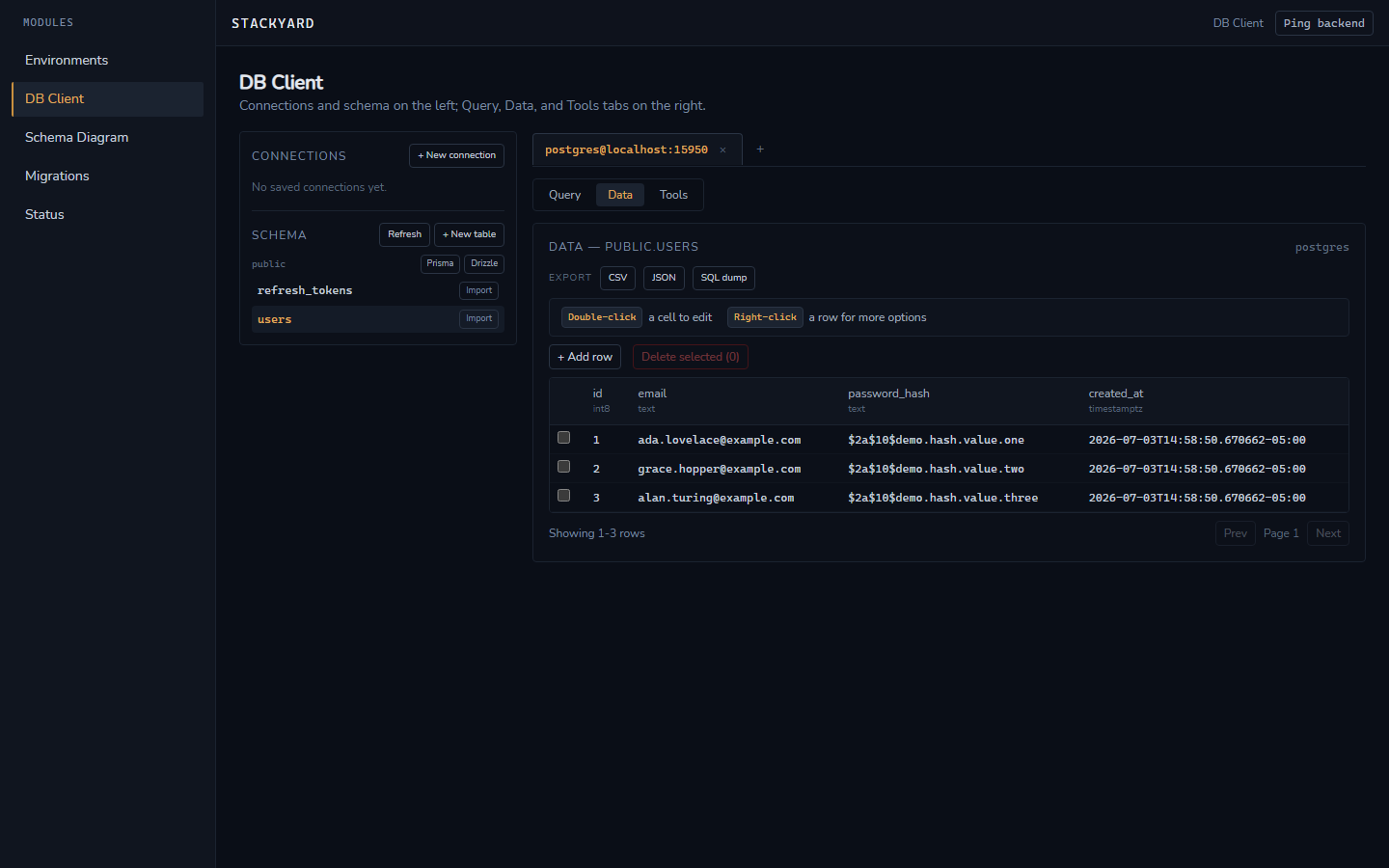
Spreadsheet-style editable data grid
For PostgreSQL and MySQL, table data opens in a spreadsheet-style grid: double-click a cell to edit it in place (commits as a real UPDATE by primary key), right-click a row for a context menu, and use + Add row for a real INSERT. Tables without an identifiable primary key stay read-only, with the reason shown, since there's no safe way to target a single row without one. Failed writes surface the database's actual error message inline on the offending cell or row.
MongoDB documents and Redis keys
MongoDB collections render as an expandable/collapsible tree matching BSON structure, with in-place edits validated as JSON before save. Redis keys are browsable and editable across string, hash, list, set, and sorted-set types, with TTL view/edit and pattern-based key filtering (e.g. session:*).
Snippets, history, and templates
Frequently used queries can be named, tagged, and saved — scoped to one connection or marked global. Every execution is logged with timestamp, duration, success/failure, and row count, filterable and replayable into a new tab. A gallery of starter SQL templates (e.g. "Auth: users + sessions
- tokens") can be inserted with one click.
Create table
A "Create table" form (name + columns with type/nullable/primary-key/ default) generates and runs a real CREATE TABLE for PostgreSQL and MySQL — no separate SQL to write by hand for common schema setup.